
目录
Flutter1.0使用Fluwx插件调用起微信详细说明
甲、安装Fluwx插件
乙、配置apple-app-site-association文件
flutter{
    "applinks": {
        "apps": [],
        "details": [
            {
                "appID": "teamID.应用BundId",
                "paths": [ "/app/*" ]
            }
        ]
    }
}
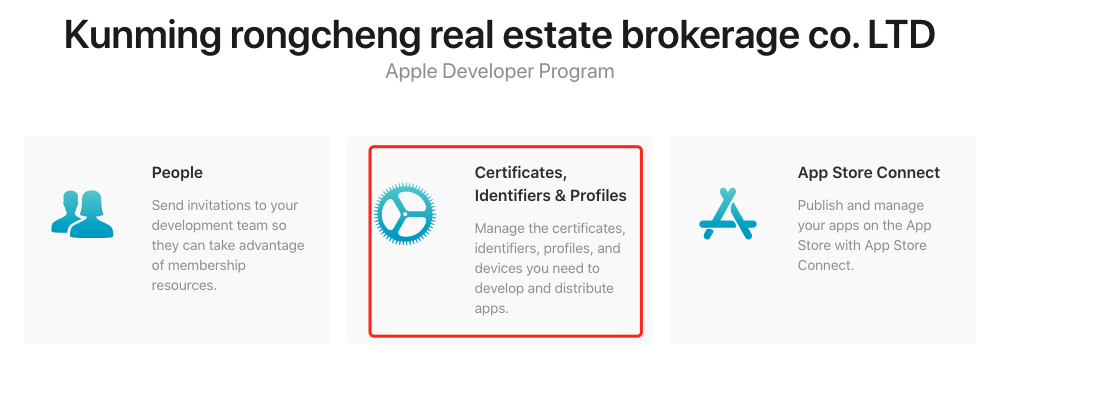
teamID 与应用BundId参数查找
1、
https://developer.apple.com/-->account2、
3、点击
identifiers4、找到自己应用点击
5、找到Edit your App ID Configuration可以看到
App ID Prefix与Bundle ID6、将
App ID Prefix赋值给teamID,括号内容不需要;将Bundle ID赋值给应用BundId7、appID完整数据为
teamID.应用BundId中间的点别忘记8、
paths内容一般需要给个地址防止网页内部到处调起打开app的内容
丙、配置Associated Domains(苹果网站)
位置在乙项第1、2、3、4、5节点处
Capabilities的Tab页
1、将
Associated Domains复选框选中2、点击
save按钮保存
丁、XCode配置
1、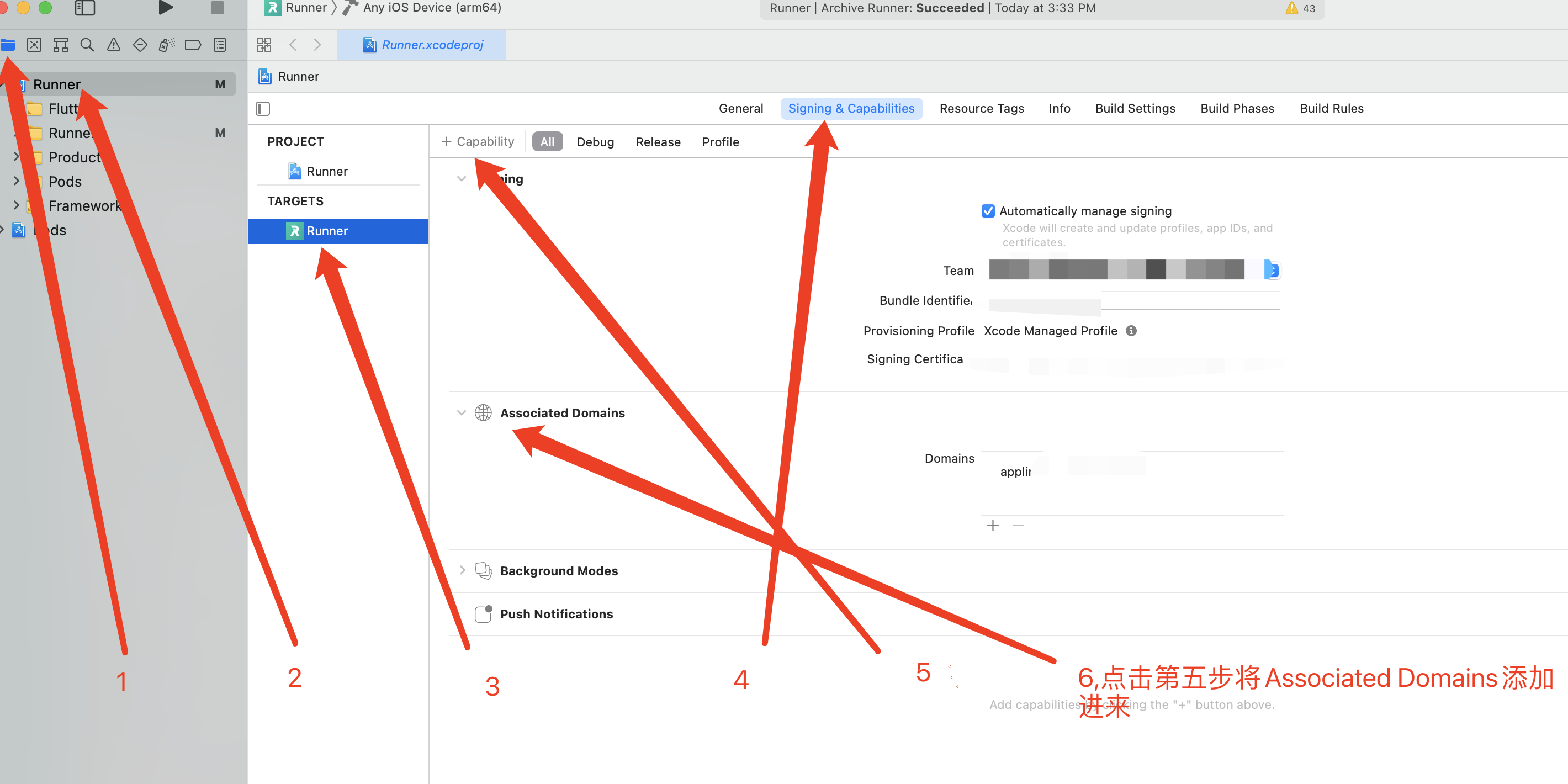
2、将域名写入 Domains,格式如下applinks:你的域名,不需要https
3、Xcode Info-->URL Types 展开点击加号
Identifier写入weixin
URL Schemes写入微信开放平台移动应用中绑定的appID
4、Xcode Info--> Custom IOS Target Properties-->LSApplicationQueriesSchemes张开添加item项
1、添加
value为weixin的项2、添加
value为weixinULAPI的项
戊、flutter项目启动配置
flutterawait fluwx.registerWxApi( appId: "微信开放平台移动应用的AppId", doOnAndroid: true, doOnIOS: true, universalLink: "配置Xcode的域名(https://xxxx.com/)"
己、微信开放平台配置
1、进入开放平台添加应用
2、申请接口信息
分享到朋友圈、发送给朋友、微信登录等接口信息3、修改
开发信息,IOS平台、IPad平台的Universal Links配置,与flutter配置中universalLink一致


本文作者:还是夸张一点
本文链接:
版权声明:本博客所有文章除特别声明外,均采用 BY-NC-SA 许可协议。转载请注明出处!